Home
Sidecar
More voices, effects, LFOs, recording and pages for the Analog Rytm MKII, played and edited from the Rytm itself.
Version 0.1.0 · public tester release
A small computer on the Rytm’s USB port, Sidecar Mini on a Teensy 4.1 or the full Sidecar on a Raspberry Pi 4B, plus a set of mods to the Rytm’s OS 1.73. The Sidecar’s voices come back on the Rytm’s own tracks, through its analog filters and amps, and its effects sit beside the Rytm’s delay and reverb.
Voices
Digital machines on every track
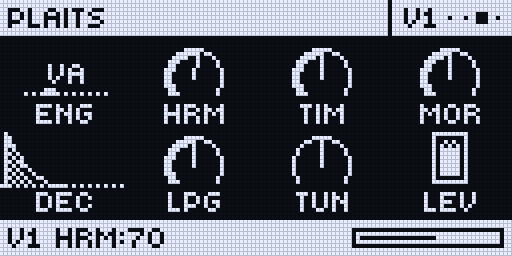
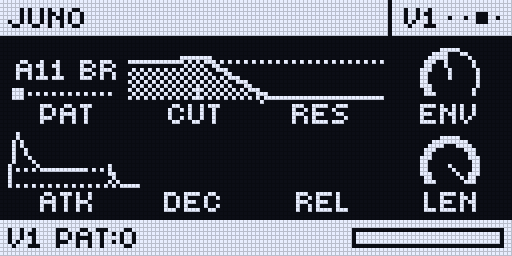
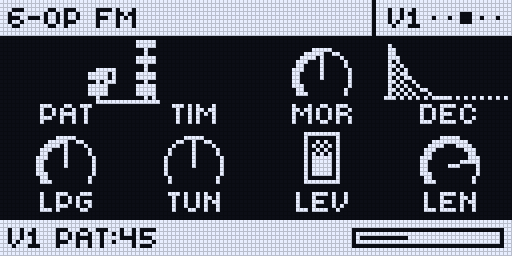
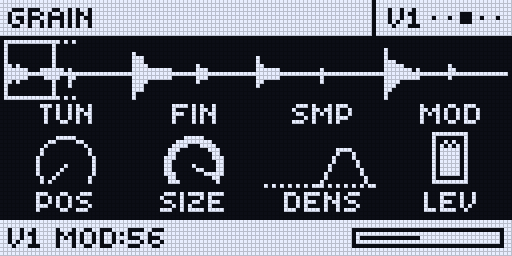
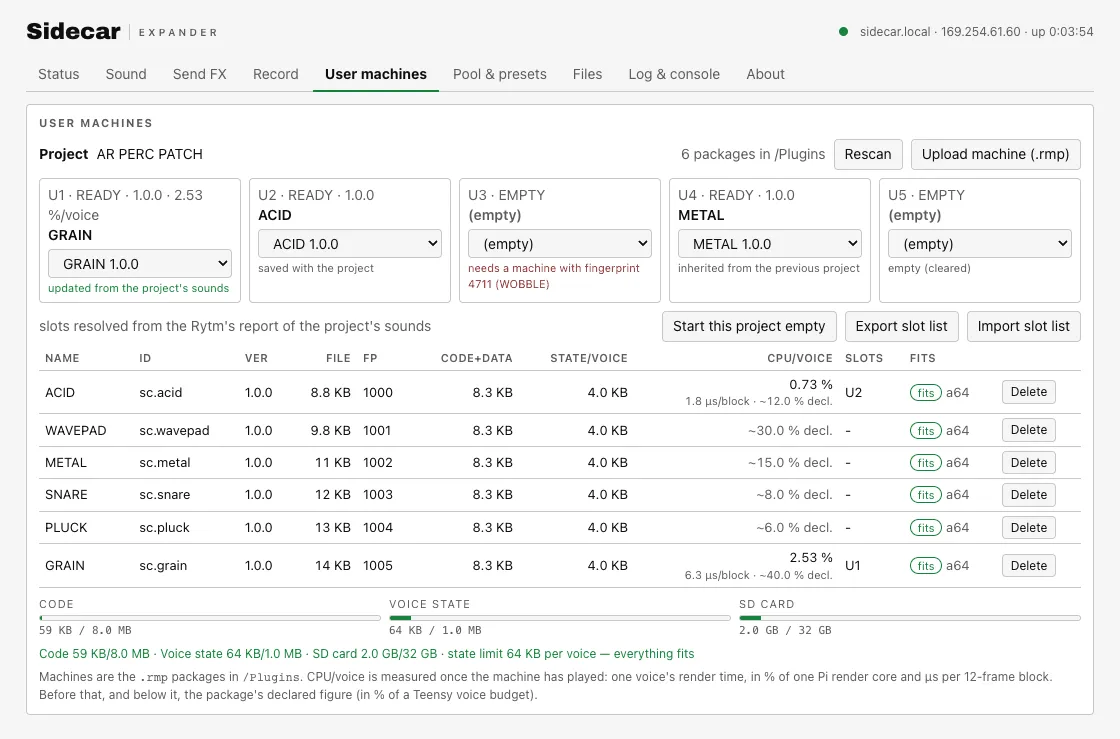
Pick PLAITS, JUNO, 6-OP FM, DAISYSP, DIGIDRUM or DSP SAMPLE in a track’s machine list, like any Rytm machine. DSP SAMPLE plays from the Sidecar’s card, with slices, loops and a granular mode. Five user slots load machine plugins: six starter machines come with the release.
Send effects
Two send effects next to the Rytm's own
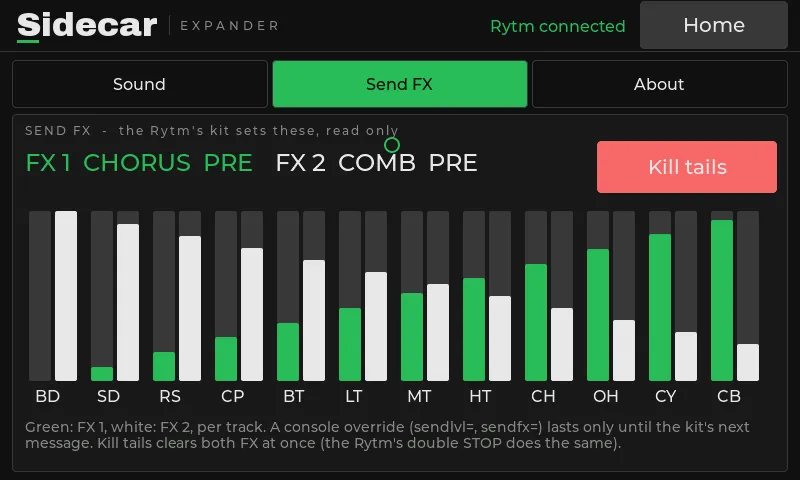
Every track gets two more sends. HALO, a lush plate with FREEZE and SHIMMER, runs on both Sidecars with CHORUS, COMB, CRUSH and RINGMOD; the Pi adds RINGS, CLOUD SEED and STUTTER. Each effect’s knobs carry their own names on the Rytm’s pages, and PRE / POST decides whether the return goes through the Rytm’s analog distortion and compressor.
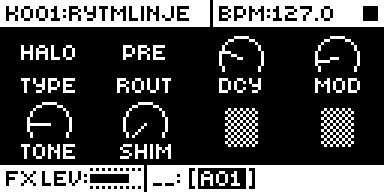
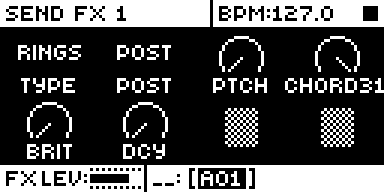
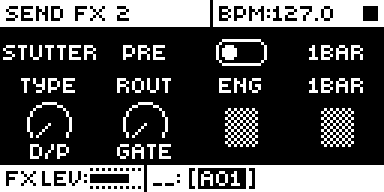
On the Rytm's screen
Pages the Sidecar draws for you
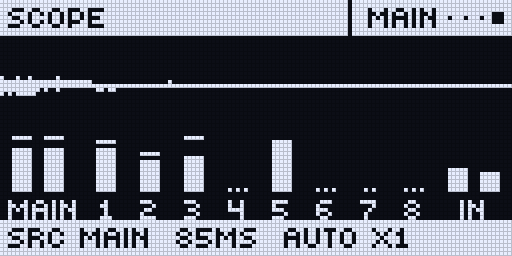
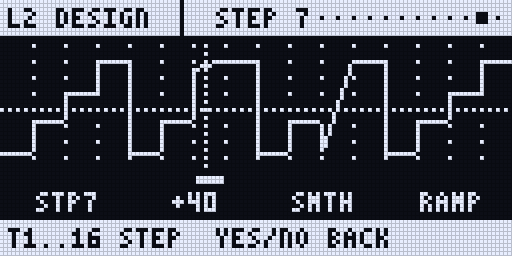
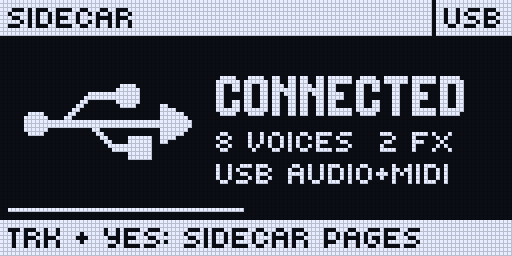
Hold TRK and press YES: status pages, a scope with meters, the recorder and an LFO designer, in the Rytm’s own font. On a track with a Sidecar machine, the Rytm’s own SRC page shows the machine’s page with its graphics while every knob stays the Rytm’s. The Rytm keeps playing underneath: PLAY, STOP, the pads and mutes still work. New pages arrive with a Sidecar update, without reflashing the Rytm.
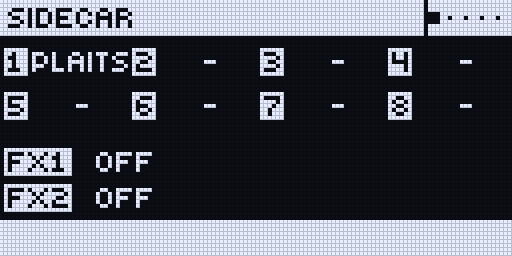
Modulation
LFOs, with your own wave
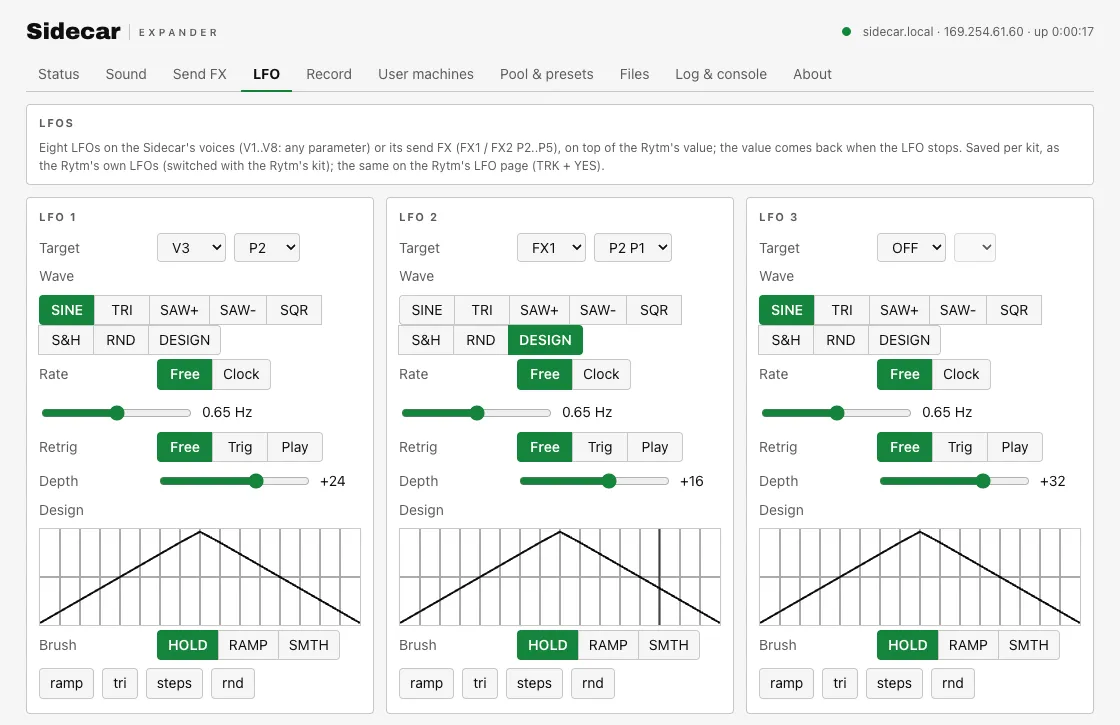
Eight LFOs on the Pi, four on the Mini, on any parameter of a Sidecar voice or effect, saved per kit. Free or synced to the Rytm, retriggered by a trig or PLAY, and a DESIGN wave of 16 steps you draw on the Rytm (TRK + LFO) or in the browser. in testing
Recording
Record every track, play it back
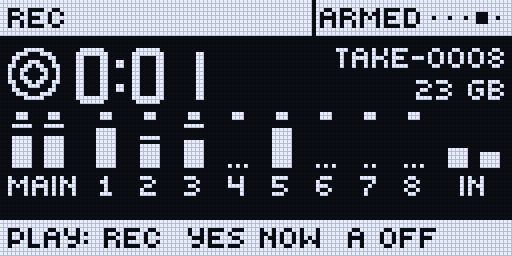
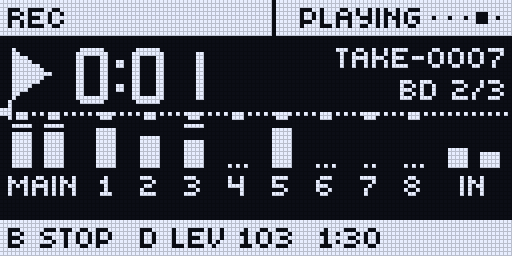
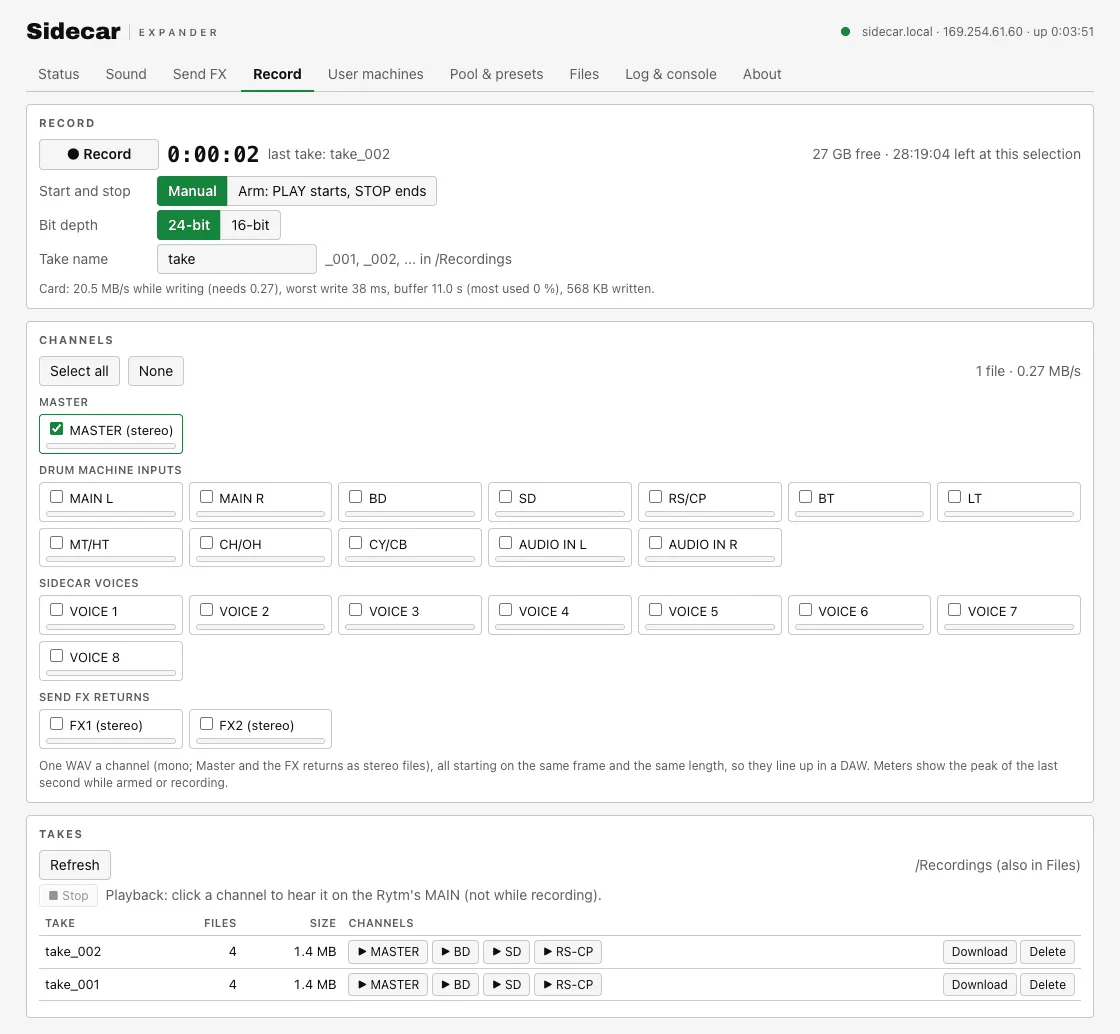
Record the Rytm’s tracks, the Sidecar’s voices and the effect returns to the SD card, one aligned WAV per source, from the Rytm’s REC page or armed to PLAY. On the Pi, play a take’s channel back into the Rytm’s mix. The Rytm’s own delay and reverb can be recorded as their own channels. Sidecar Mini records stereo to its card, from the same REC page.
Computer audio
An audio interface for your DAW
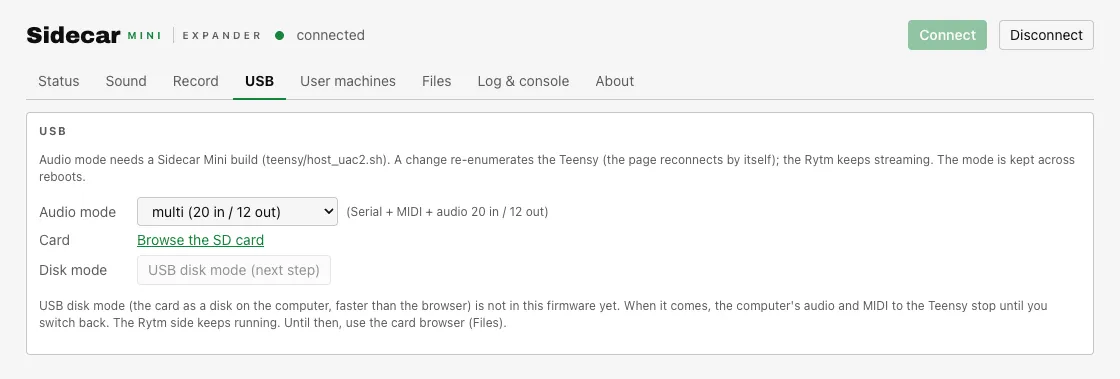
With the Sidecar on the Rytm’s USB port, its own USB port becomes a class-compliant audio and MIDI device for your computer: multi-channel on the Pi, stereo on the Mini. No driver needed.
Web UI and plugins
Manage it from a browser
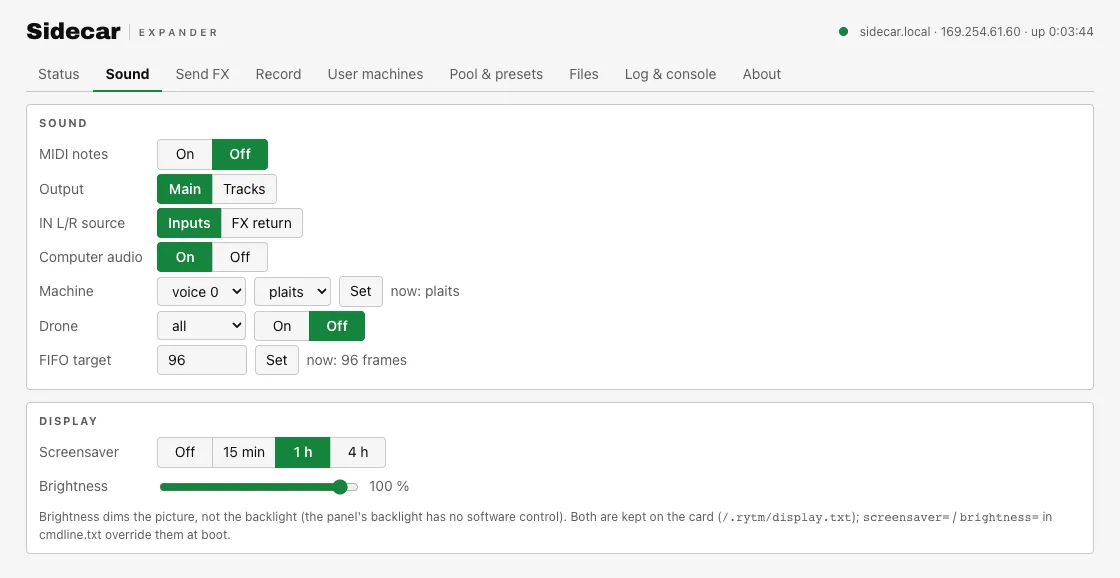
The Pi serves its own page at sidecar.local; the Mini has a console in Chrome or Edge over USB. Install user machines, see the CPU and memory, fill the sample pool, browse and upload whole sample folders, set up Wi-Fi. Nothing leaves your network.
Touchscreen
A screen of its own
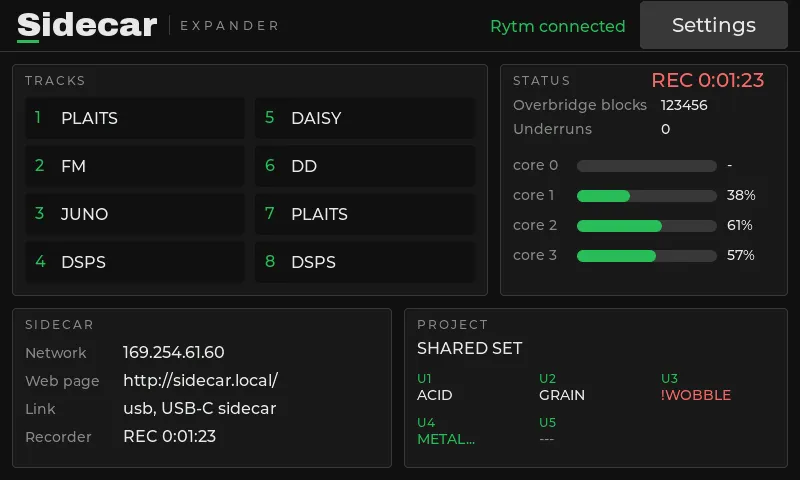
The Pi drives an 800x480 touch display: the tracks and their machines, the project’s user slots, the send levels, the core loads and the recorder at a glance, with sound settings, screensaver and brightness by touch.
Two Sidecars
Sidecar Mini or Sidecar?
Sidecar Mini
Teensy 4.1 · the cheap way to start
- All built-in machines, a few user machines
- CHORUS, COMB, CRUSH, RINGMOD, HALO
- Remote pages incl. REC, 4 LFOs
- Stereo recording, stereo USB audio
- PSRAM: more plugins, stems (in testing)
Sidecar
Raspberry Pi 4B · everything
- Many user machines
- Plus RINGS, CLOUD SEED, STUTTER
- Remote pages, 8 LFOs, playback
- 23-source recorder, multi-channel USB audio
- Touch display, web page, Wi-Fi
Compare in detail → Projects move from the Mini to the Sidecar.
- Read me firstwhat it is, what works, risks
- What works nowtested on hardware or in testing
- Rytm patcherpatch your own OS 1.73 file, in the browser
- Sidecar Mini consolelog and controls over WebSerial
- DownloadsSidecar Mini .hex, Sidecar SD card
- Release notes0.1.0
- Roadmapdone, now, next, later
- Tester reportfeedback and bugs
The first version is based on Analog Rytm MKII OS 1.73. OS 1.74 will be supported after testing.
Unofficial tester release, not affiliated with or endorsed by the maker of the Analog Rytm; “Analog Rytm” and “Overbridge” are their trademarks, used only to say what this works with. Nothing you open here uploads your files. Code under the GNU GPL; see the licence page and the third-party licences.