The display (Pi)
The Pi can drive an 800x480 display: HDMI with USB touch, or a DSI touchscreen on the Pi’s display connector. Connect it before power-on.
| Display | Status |
|---|---|
| 5” / 7” HDMI LCD with USB touch (800x480): HDMI to the Pi’s micro-HDMI 0 (next to the power socket), touch to a free USB-A port | hardware (a 5” HDMI LCD) |
| Official Raspberry Pi 7” Touch Display (v1, DSI) | expected, being confirmed |
| Compatible 7” DSI displays such as the OSOYOO 7” DSI V4.0 | expected, being confirmed |
| Raspberry Pi Touch Display 2 | not supported |
With a DSI display and HDMI both connected, the Sidecar draws on the DSI display; dsi=0 in cmdline.txt keeps it on HDMI. Do not add ignore_lcd=1, disable_touchscreen=1 or a vc4-kms overlay to config.txt.
Boot screen
Section titled “Boot screen”The Sidecar wordmark with a progress bar, drawn within a third of a second of the engine starting. The home screen follows a few seconds later.

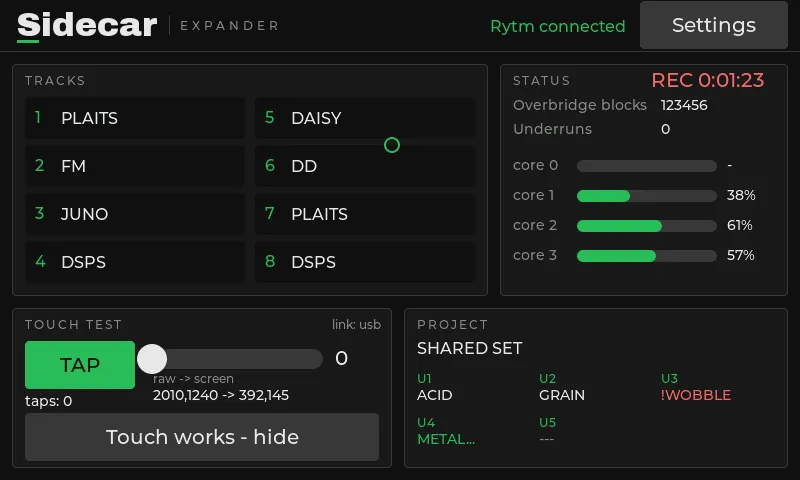
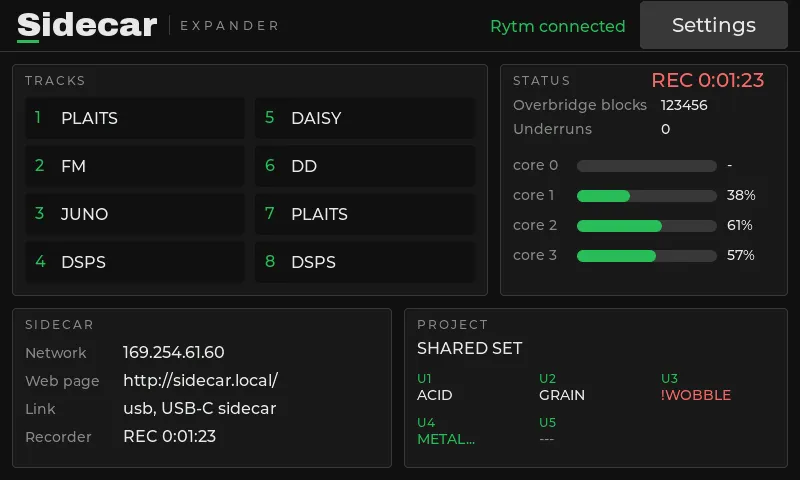
Screenshots: the 1021 display rendered off-device with mock data. The restyled display is hardware-tested.
- The title bar, with Rytm connected (green) or Rytm not connected (red).
- Tracks: the Sidecar’s voices 1-8 with their current machine (numbered by voice: 1 BD, 2 BT, 3 SD, 4 LT, 5 CH/OH, 6 MT/HT, 7 CY/CB, 8 RS/CP).
- Project: the Rytm’s project and its U1..U5 machines as the Rytm shows them (
!ROOM NAME,!MISS NAMEetc. when it cannot play, with the reason;NAME...loading,---empty). - Status: Overbridge blocks, underruns (red once nonzero), load bars for the render cores, and
RECwhile recording. - Touch test: a tap button and a slider to check the touch panel. Once touch works, press Touch works – hide: a SIDECAR panel (network, web page, link, recorder) takes its place. The About page has a Show / Hide toggle to bring it back; the choice is stored as
touchtest=in/.rytm/display.txt.
Settings
Section titled “Settings”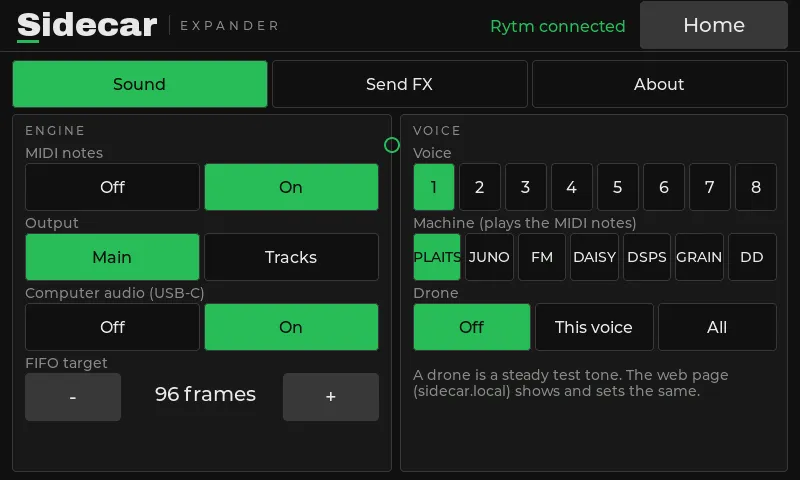
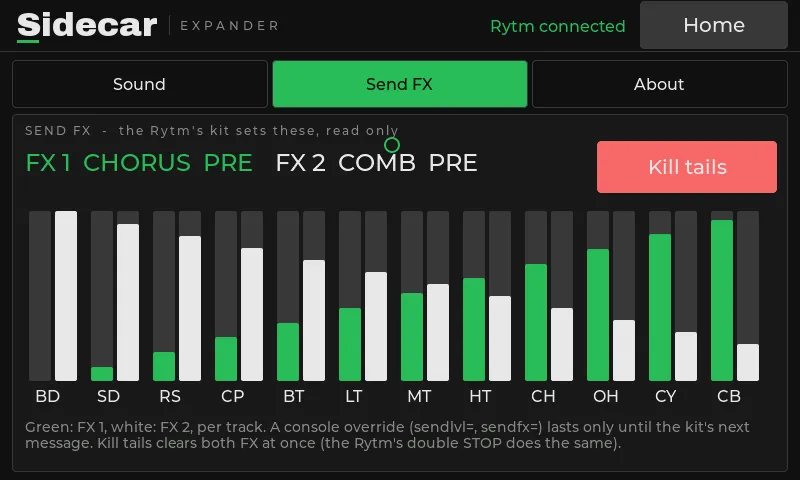
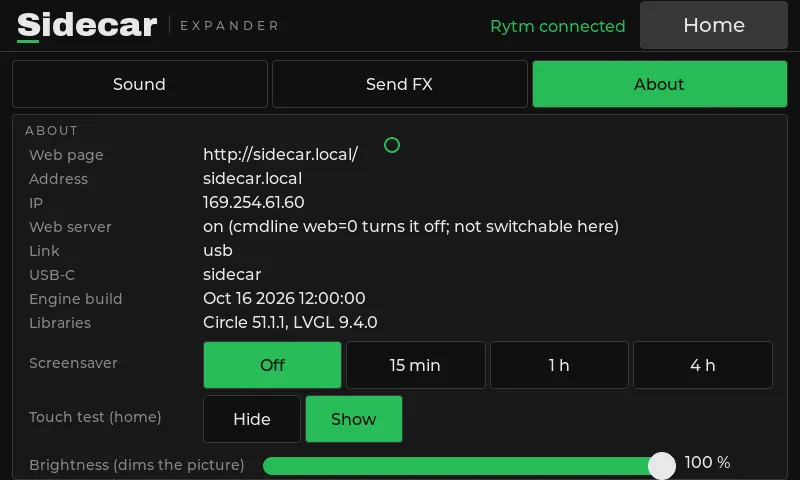
Screenshots: the 1021 display rendered off-device with mock data.
The Settings button (top right) opens the settings pages and becomes Home. Every control is at least 48 px high.
| Page | |
|---|---|
| Sound | MIDI notes, output (Main/Tracks), computer audio, the buffer target; per voice: machine and test drone |
| Send FX | both effects’ TYPE and the 12 send levels (read only: the Rytm’s kit owns them; FX 1 green, FX 2 white), and Kill tails |
| About | the web address, IP, network, the build, the screensaver, the touch test (show / hide) and brightness |
The display, the web page and the console share one state: a change on one shows on all.
Screensaver and brightness
Section titled “Screensaver and brightness”- Screensaver: after 1 hour without a touch (default) the screen goes black. Choose Off, 15 min, 1 h or 4 h. Any touch wakes it; that touch only wakes the screen. Rytm activity does not keep it awake.
- Brightness: 5 to 100 %. It dims the picture (the panel has no software backlight control); even the darkest setting stays readable, so you can always find the slider again.
- Both are stored on the card (
/.rytm/display.txt) and can be set from the web page too.
If touch is offset or mirrored, read the raw values from the touch readout and set touchscreen=minx,maxx,miny,maxy in cmdline.txt. Touch errors on the panel’s USB link are recovered automatically.
The display runs on the core that also handles USB, but the audio is interrupt-driven and does not wait for it. At rest an update takes about 0.3 ms. display=0 in cmdline.txt turns it off.