LFOs
in testing (new in 0.1.0; saved per kit in /.rytm/lfo/<project>/kNNN.txt on the Sidecar’s card)
The Sidecar has its own LFOs: 8 on the Sidecar (Pi), 4 on the Sidecar Mini. Each one modulates one parameter of a Sidecar voice or a send effect, on top of the value the Rytm sets (its knob or a p-lock). They are global, not tied to a track, and are saved per kit, like the Rytm’s own LFOs.
Targets
Section titled “Targets”| Target | What moves |
|---|---|
| V1..V8 | a Sidecar voice’s parameters (the engine’s voices: V1 BD, V2 BT, V3 SD, V4 LT, V5 CH/OH, V6 MT/HT, V7 CY/CB, V8 RS/CP), by the machine’s own names (HRM, CUT, STA, …), user machines too |
| FX1, FX2 | the send effect’s P2..P5, by the effect’s labels (HALO’s DCY, CHORUS’s DPTH, …) |
Two LFOs on one parameter add up. Selectors that are read only at a trig (6-OP FM’s PAT, DSP SAMPLE’s SMP) do not follow an LFO. The LFOs never change the Rytm’s own sound parameters, so a kit you save is never altered by a running LFO.
Waves, rate, retrig, depth
Section titled “Waves, rate, retrig, depth”- Waves: SINE, TRI, SAW+, SAW-, SQR, S&H, RND (smooth random) and DESIGN: 16 steps you draw, each a value and a shape: HOLD (the value until the next step), RAMP (a line to the next step) or SMTH (an S-curve to it). Presets: RAMP, TRI, STEPS, RND.
- Rate: free (0.02 to 20 Hz), or synced to the Rytm’s clock, from 1/32 to 8 bars, with triplets and dotted values. Synced LFOs follow the song position while the Rytm plays.
- Retrig: FREE, TRIG (the target’s trig) or PLAY (the Rytm’s start).
- Depth: -64 to +63 steps around the Rytm’s value; negative inverts the wave.
The LFO page on the Rytm
Section titled “The LFO page on the Rytm”Hold TRK and press LFO to open the remote pages straight on the LFO page (or LEFT three times from SIDECAR: SCOPE, REC, LFO).
- Main view: the wave over one cycle with a dot at the phase. A LFO (which one), B TGT (OFF, V1..V8, FX1, FX2), C PAR (by name), D DEP, E WAVE, F RATE (FUNC: steps of 8), G SYNC (FREE / CLK), H TRIG (FREE / TRIG / PLAY).
- YES opens the design view: the 16 steps with the playhead. The trig keys T1..T16 pick a step, B sets its value, C its shape, D applies a preset. YES or NO goes back.
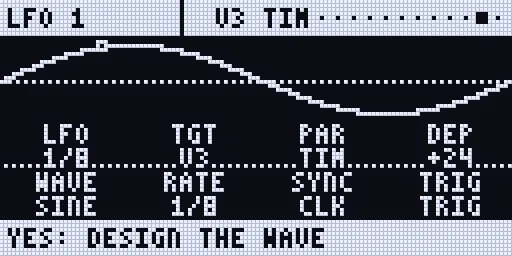
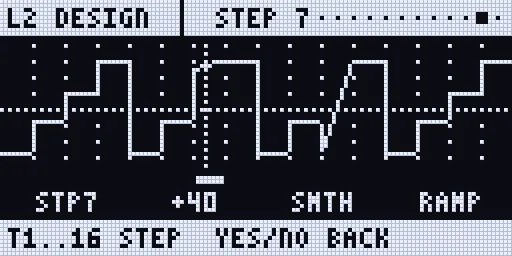
Screenshots: the emulator with the Sidecar’s host code (mock values).
On the web page and the console
Section titled “On the web page and the console”The Pi’s web page and the Sidecar Mini’s console have an LFO tab with the same settings per LFO: target, parameter, wave, rate, sync, retrig, depth, and the design steps.
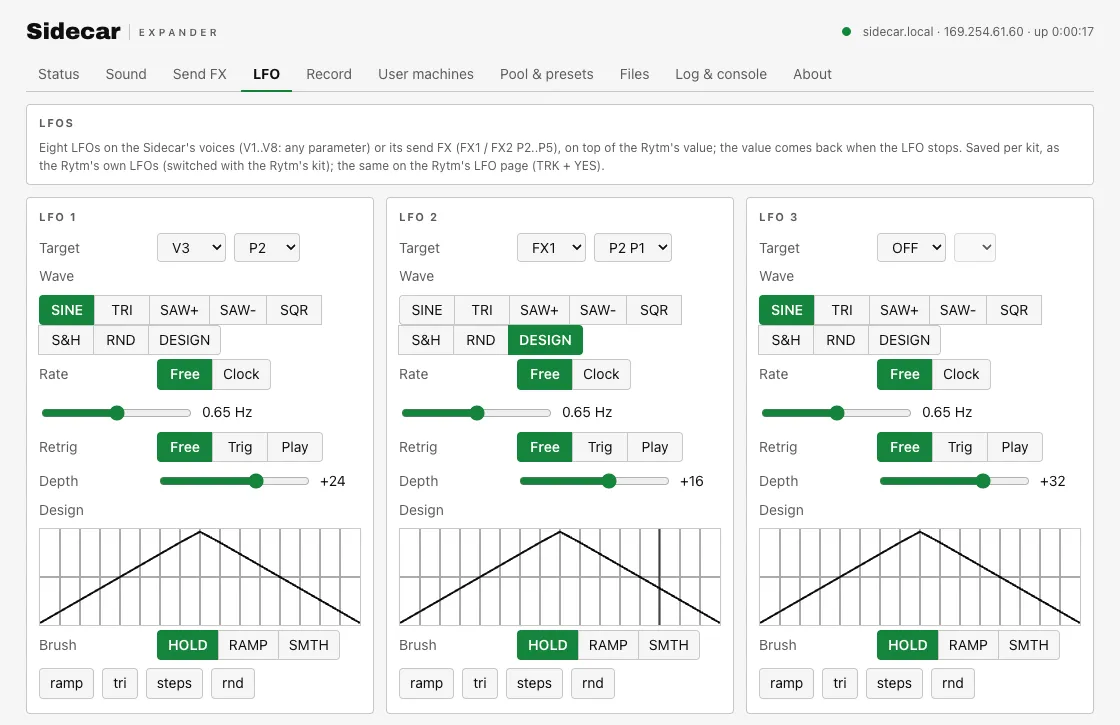
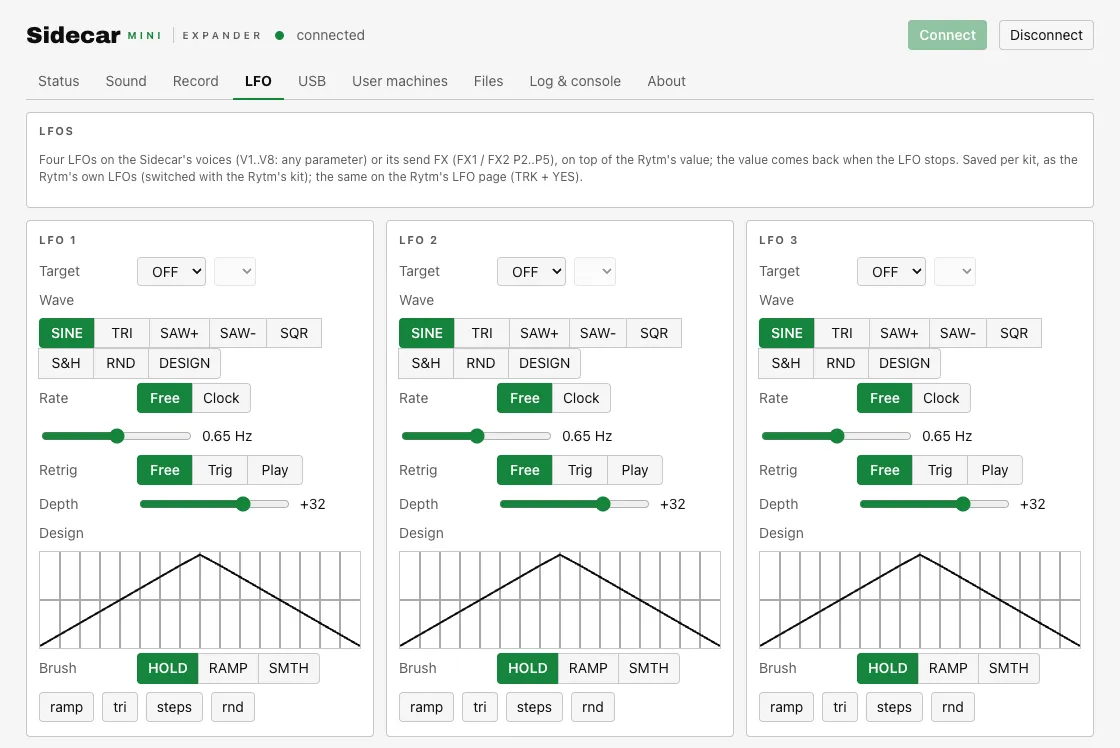
Screenshots: the 0.1.0 web UIs with mock data.